Wednesday, January 6, 2010

Can't log on?

Attention chobots!

As you should have noticed, yesterday we had some updates and Chobots were unavailable for a brief period.
I've been told that after the updates some of you have problems with logging.
So I'm here to help you :)
If Chobots doesn't work for you all you have to do is refresh the DNS cache :
  1. Click "Start"
  2. Click "Run"
  3. Type "ipconfig /flushdns" (without quotation :)
  4. Press "Enter"
  5. Close the window
  6. Then clear your browser's cache
  7. Restart the browser and enjoy playing Chobots :)

This should help :) Comment here if you face any problems.
I'll be glad to help!

Hiki

Monday, October 5, 2009

Chobots FAQ

Hello guys!

I'd like to post some frequently asked questions and answers :)
Hope this info will be helpful for our new chobots and even some old ones!
So let's start :

Why can’t I log in?

Check to make sure you are using the latest version of Adobe Flash
Player. The best way to do that is to go to the Flash Player Download
Center.
You might need to clear out your cache.
Your computer might have a firewall built into it. Programs such as
Window XP, Vista, and Mac OSX have a firewall that might prevent you
from logging on to Chobots.
If none of these things work, you should call your Internet Service
Provider (ISP). That is the company that you pay to connect to the
Internet. They might be using a firewall that is blocking the ports
that lead to Chobots.
The server might be offline so that Chobots can update or work on
the website.

I forgot my password! What do I do?
If you forgot your password you should restore it.
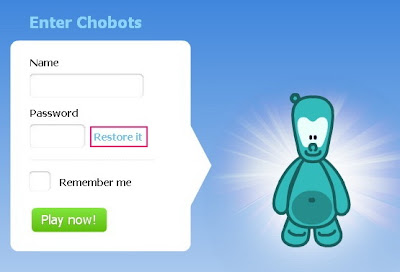
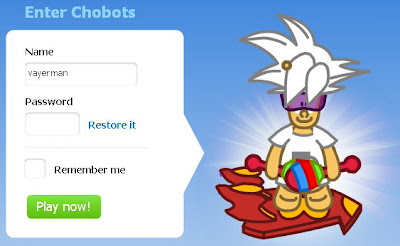
To restore your password you should click on "Restore it" button on the Chobots start page www.chobots.com and follow the instructions.
The mail with your existent password will be sent to you.

How do I change my password?
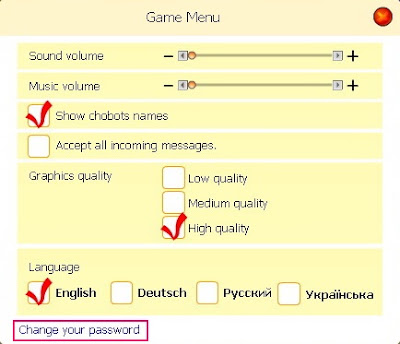
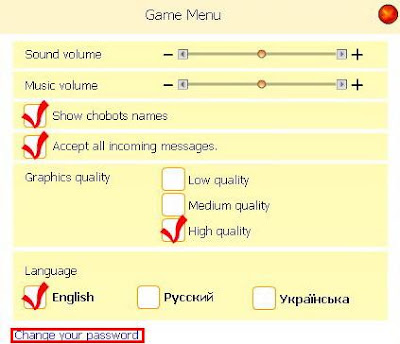
To change your password, go to Menu Screen and select "Change your password" and enter old and new password.


How do I activate my account?
To activate your Chobots account you have to open the activation email and click the blue activation link. After activating your account you can log on to Chobots and start playing!

How do I become a citizen?
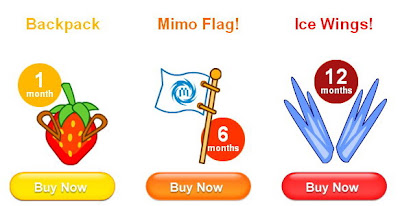

If you want to become a Citizen all you have to do is:
1. Go to Chobots homepage and press the Membership button.
2. There you can see information about the Citizenship. You can buy 1, 6 or 12 months Citizenship.
3. To buy citizenship you can use credit cards or PayPal.
4. That’s all! After buying Citizenship enjoy playing Chobots with more cool features!

Hope this information is helpful :)

Hiki
Tuesday, July 14, 2009

Protect Yourself!

Hello guys!

I'm here to tell you very useful information! We're gonna talk about scammers and how to protect yourselves.
So I'd like to give you a few examples of scamming. ATTENTION! Don't let them cheat you!
First example. If you see someone saying "I can make you a citizen/agent/moderator!" Do NOT trust and do NOT give out your password!

Example two. Once when I was playing with my secret account one chobot told me: "Wow! Know what? I have 500 000 bugs! My friend knows a cheat! And I can tell it to you if you give me your pass!" (And know what? I didn't see that chobot anymore ;) Don't trust and DON'T tell your password!!!

Example three. If you see someone saying: "I can give you my member account on CP or smth but you have to give me your chobots password!" STOP! DON'T do that! Don't give out your password!

It was a short guide 'Protect yourself' :) Now you are armed and can recognize a typical scammer!

But let's talk about things you have to do if you were scammed. It's a pity but it's not the end of the world ;) Everything is under control!
So listen, if a scammer changes your pass and you can't log on - don't worry! All you have to do is restore your pass! It's simple :) Look:

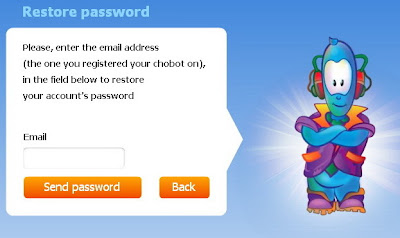
After clicking 'Restore it' you see this:

Just type your email address you used during the registration and check your mail.
After you get an email with your current password you have to change it. Log on Chobots and click 'Menu' button and choose 'Change your password' option.

You have to change it to something different!
And you'll have your account back ;)
So if you follow these simple rules you'll be safe!

(: Chobots! Chat'n'Play Everyday! :)

(Wow! Long post! Hope I helped you guys!)

Hiki

Thursday, March 5, 2009

What shall I do if Chobots doesn't load?

The main reason of this problem is that your computer is logging into an out-of-date version of Chobots. You need to clear your cache so that you will connect to the newest version. Don't worry, it's an easy thing to do!

Click here to know how to clear your browser's cache.


Tip:

  • It is a good practice to clear your cache and delete your cookies regularly.

Thursday, January 29, 2009

Wednesday, January 21, 2009

Chobots Citizenship is Released!

It finally happened! Chobots can become Citizens.


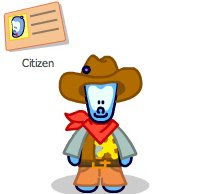
First of all, citizens receive a badge-passport to your player card! This  tells everybody that you are a big fan of Chobots and that you are an experienced player.


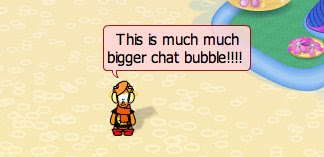
To get even more visual, citizens get bigger chat bubble in the public chat! 

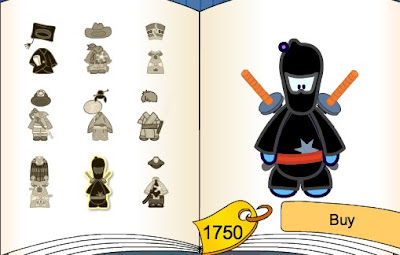
But this is not all, folks! Now, citizens can buy exclusive suits for bugs you earned playing hard! And lots of new items will come soon!


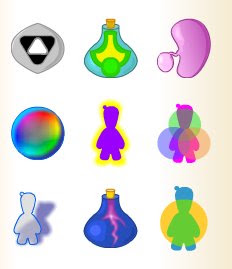
And of course, there is exclusive magic stuff never seen before! It will shake your mind!


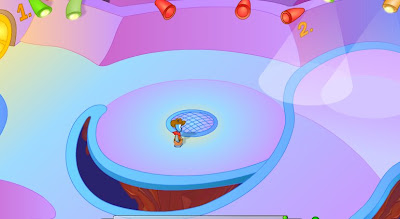
And finally, there are big houses for big parties! BTW, this one has 2 floors! And soon, there will be an option to design you home!

Ups... Did I forget? Citizens can also use graffiti! But don't get banned, we're watching over you and we know who draws what.

At the end, I just would like to remind you that Chobots never stop. Many new locations, cities, games and features are going to be available for everybody. And this will happen soon! 

Let the Cho be with you! ;)

Vayerman | Chobots Guru

Saturday, January 3, 2009

Official Chobots Rules Update

Advertising: You are not allowed to share links unless it is for a Chobots blog. If you are sharing your Chobots blog URL, you cannot say your link more than twice in a row. Saying it more than two times in a row will be considered to be spamming and is not allowed. Also, please try to say your blog without having the screen filled up by your advertisement.

Bad Language: Bad language is not allowed. It you wouldn't say it in front of your Mom, Dad or teacher then you shouldn't say it on Chobots. If you are caught saying bad words you will have your chat disabled for 5-15 minutes or may be kicked out. Using bad language can also lead to a ban, so don't do it. Please be respectful of other Chobots and use kind words with talking to one another.

Charities: We think it’s great that you are trying to help out each other on Chobots, but if you're going to give out gifts please do not ask for donations. Please do not feel like you have to give gifts - no one can be 'poor' on Chobots since everyone can work hard and earn money.

Begging: Please don’t beg/ask for clothes. If you have a glitch on your account that is causing you not to be able to earn money please email [email protected], or send an admin message so it can be fixed. Otherwise, work hard to earn money because it is annoying to have to deal with a lot of messages a day asking for clothing. If you are caught begging you may be kicked out or have your chat disabled for 5-15 minutes.

No Dating: Chobots is not meant for online dating, so please do it somewhere else.

Scamming: Of course, scamming is not allowed. An example of scamming is when someone says "if you give me a smiley shirt, I will give you my shoes" even though the player has no intentions of giving away a pair shoes. The other player says yes and gives away their smiley shirt but never gets the pair of shoes in return. Scamming is also saying something like "the first person to give me a gift will get a gift" because that is just tricking people into thinking they are first. Scamming can lead to a ban, so please don't do this.

Asking to be an Agent / Moderator: Please DO NOT ask to be an Agent or Moderator because it will lower your chances of becoming one. Do you want to know how to become an Agent? Then read the official Chobots blog to find out how. If you follow the requirements, we will see it and you will become an agent. 

Friday, January 2, 2009

Chobots Community Updates!

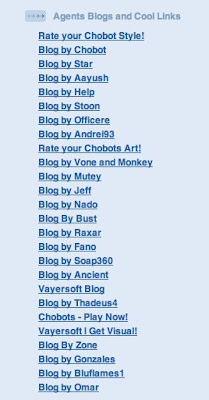
When you visit our blog, don't miss Agents blogs and cool links at the right bar. 

You can learn much more about Chobots World, find out about cheats, parties and howto's.
If you can't create your own blog, but willing to become a blogger, you can become an author at one of agents blogs. (don't forget to ask permission of your parents)

Also you can let other chobots rate your chobot style or rate your Chobots art

Vayerman | Chobots Guru

Sunday, December 28, 2008

Saturday, December 27, 2008

Change Your Password Feature

Now you can change your password whenever you want! You may need this if you think someone has accessed your account. To change your password, go to Menu Screen and select "Change your password" and enter old and new password.

If your password has been changed and you forgot it, you can use 'restore your password' feature at your registration screen.