
Hey bloggers!
Good news for you! Now you have an ability to put a Chobots banner to your blog. Look!
All you have to do is paste this to your blog:
<object width="160" height="600"><param name="movie" value="http://chobots.com/banners/banner_160_600.swf?url=http://chobots.com"><embed src="http://chobots.com/banners/banner_160_600.swf?url=http://chobots.com" width="160" height="600"></embed></object>
And these are banners with musical instruments!
Paste this:
<object width="190" height="100"><param name="movie" value="http://chobots.com/banners/banner_190_100.swf?url=http://chobots.com"><embed src="http://chobots.com/banners/banner_190_100.swf?url=http://chobots.com" width="190" height="100"></embed></object>
And third banner is:
If you like this one you have to paste:
<object width="300" height="80"><param name="movie" value="http://chobots.com/banners/banner_300_80.swf?url=http://chobots.com"><embed src="http://chobots.com/banners/banner_300_80.swf?url=http://chobots.com" width="300" height="80"></embed></object>
So, it's simple!!! Make your blog more interesting!
Good luck ;)
Hiki
All you have to do is paste this to your blog:
<object width="160" height="600"><param name="movie" value="http://chobots.com/banners/banner_160_600.swf?url=http://chobots.com"><embed src="http://chobots.com/banners/banner_160_600.swf?url=http://chobots.com" width="160" height="600"></embed></object>
And these are banners with musical instruments!
Paste this:
<object width="190" height="100"><param name="movie" value="http://chobots.com/banners/banner_190_100.swf?url=http://chobots.com"><embed src="http://chobots.com/banners/banner_190_100.swf?url=http://chobots.com" width="190" height="100"></embed></object>
And third banner is:
If you like this one you have to paste:
<object width="300" height="80"><param name="movie" value="http://chobots.com/banners/banner_300_80.swf?url=http://chobots.com"><embed src="http://chobots.com/banners/banner_300_80.swf?url=http://chobots.com" width="300" height="80"></embed></object>
So, it's simple!!! Make your blog more interesting!
Good luck ;)
Hiki
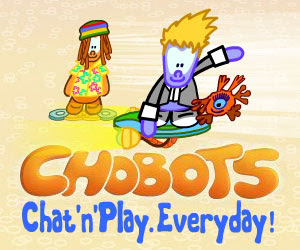
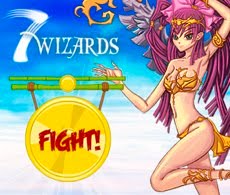
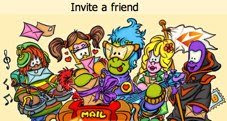
UPDATED by Vayerman: Some images for banners ;) Click'em before saving!




-2.jpg)



 Posts
Posts



24 comments:
YAY BANNERS!!!
Its cool and all but it wont work at my blog RUNNERMANBLOG.BLOGSPOT.COM
idk why and how i tried alot of thing
weird, you just copy the code to message or the right bar.
Yay!!!But , how can I use it like a widget , because I don't want to use it in a post
Woah! Those are wonderful! I put them on my blog already he he he!
it wont let me do it for some reason i copy it then go to my blog and i right click but it dont say paste!!!!!!!!! its really annoying!!!
Vayerman: SWF's (Flash files) aren't allowed on WordPress.Com blogs. Therefore, these banners won't be able to be shown on most Chobots blogs. GIF's do work, however, so maybe that's something to do. Or I'll make them if you want.
Thanks,
Star.
That slogan is alot better than your fammily game ;)
plz can someone tell me how to do it, coz it wont work with me!! it wont paste!
MAN THOSE ARE AWESOME!
Awesome! Even through i dont go on my blog i will add it, if i figure it out!!
It did not work
My blog is chobotnickpop.blogspot.com. I copied and pasted it to where it says formatting but it still did not work
woohhooo!!!
i added it to my chobot blog now!
i hope you can make more widgets for chobot blog.
Hey, why doesn't it work on other blogs? it worked for me! pretty easy to put it on your blog.Cadkeish
i dont no how to get them on my account, i have a wordpress site
could anyone help me?
please email me or comment on my site :)
~pengweeno1
I could only get the pictures on my blog. It stinks. Check it out at cpcheatcenter.wordpress.com
They are still AWESOME !
I recommend fever11 Make him an agent!
what is the HTML for the banners?
It Wont Work
Hi, I've been trying to post the very first banner on the top of the page. ( the moving one )Every time I post it, It shows up as the HTML. I've had this problem with many things before, so is it a problem with wordpress? If you know, please tell me what to do. ( all I wanna do is help you guys get more people on chobots! :) ) thank you for your time, and sorry this comment was so long. My site is flibble.wordpress.com and my chobots account is tofulad. Again, thank you very much, and have a wonderful day.
It was cool i have it funnyboycpcheats.blogspot.com sweet!
i like all the banners
thank's guys to help me get the banners to put it in my blog
How to: Go to add gadgets, go to html/javascript and paste. Easy :)
Comments are preserved read-only.